 Patched and Backed Up
Signs your site has been hacked
Last reviewed
In short
- A hack doesn't always look like one. Some are loud, and some stay hidden.
- Warnings often come from outside: search engines, your host or your visitors.
- Check your list of users for accounts you didn't make.
Signs, loud and quiet
WordPress's help page lists clear signs of a hack. It calls them indicators of compromise, which just means "clues that something is wrong".[1]
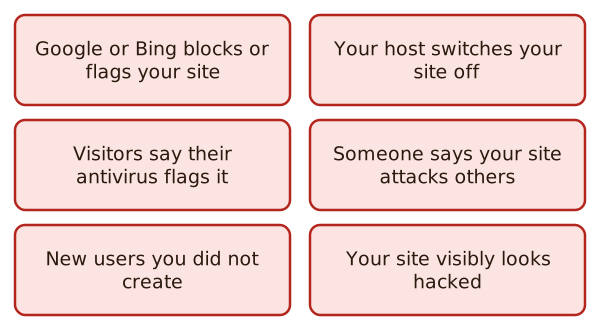
Here they are in plain words:
- Search engines flag you. Your site is blacklisted by Google, Bing or another service.[1] A blacklist is a list of sites that others are warned to avoid.
- Your host switches you off. The host has disabled your website.[1]
- Malware warnings. Your site has been flagged for distributing malware, which is harmful software.[1]
- You're told it attacks others. Someone contacts you to say your site is being used to attack other sites.[1]
- Things you didn't do. You notice actions that nobody authorised. One example is a new user you didn't create.[1]
- You can see it. The page looks wrong when you open it in your browser.[1]
Spam is another clue. Hacked sites get abused to send out spam, and email blocklists can then flag the site's address.[1]
Not every hack is the same
Not all hacks are created equal.[1] A home page that has been vandalised looks nothing like a hidden spam script. So note the exact clue you saw. It helps you, your host, or anyone you ask for help.
A first check: who has an account?
Open Users in WordPress. Read the list from top to bottom.
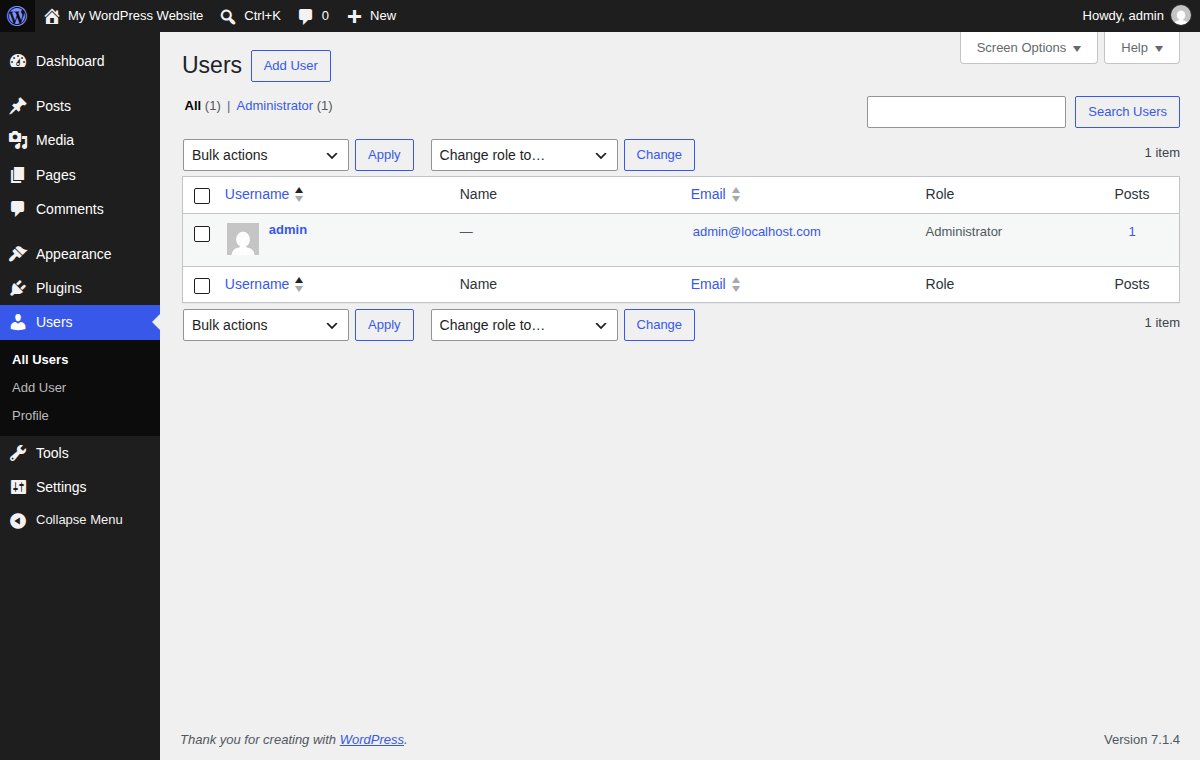
Look for a username you don't know, an email address that isn't yours, or a role that's higher than it should be. On this test site, there's one account, an Administrator. Yours may have more.
If you find one you can't explain, don't delete it yet. Write it down first. Then follow recovering a hacked site.
Check from the outside
You can't see everything from inside your site. Search engine tools can tell you what they see. WordPress suggests registering your site with webmaster consoles from the main search engines.[1] Then a warning reaches you early.
Your host can also tell you if something is wrong. Ask them.
Logs
A log is a record of what happened on your server. WordPress calls logs your best friend when you want to understand what is happening on your site.[2] A log can show the address and time of a visit.[2] Ask your host where to find yours.
What's next
If you see any of these signs, don't panic. Go to recovering a hacked site and work through it in order.
Sources
- FAQ My site was hacked, WordPress.org Documentation (accessed 2026-11-12)
- Hardening WordPress, Advanced Administration Handbook, WordPress Developer Resources (accessed 2026-11-12)