 Patched and Backed Up
Keeping your software updated
Last reviewed
In short
- Old software has known flaws, and the fixes are public.
- Update WordPress, plugins and themes. Turn on automatic updates where you can.
- Delete what you don't use.
Why old software is the problem
Every program has flaws. When a maker finds a flaw that lets attackers in, they release a fixed version. That fix is called an update, or a patch.
Here's the catch. Once a fix is out, the details of the flaw are almost certainly public.[1] Anyone can read them, including the people running attack bots. That makes old versions more open to attack. WordPress lists this as a main reason to keep it up to date.[1]
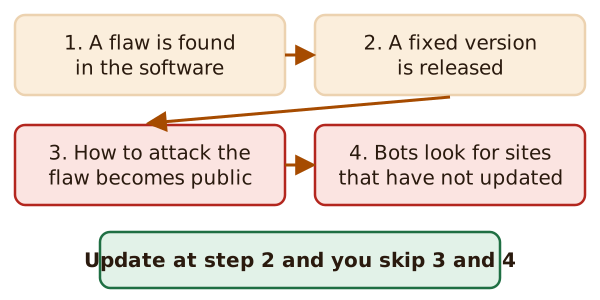
Updating early puts you ahead of the bots. Waiting puts you in their list.
OWASP, a security non-profit, includes this in its 2021 list of top web risks (the edition this page cites). It says you're likely at risk if your software is vulnerable, unsupported or out of date.[2]
What to update
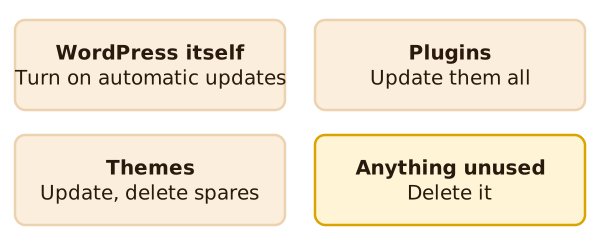
Three kinds of software need care on a WordPress site.
WordPress itself. Older versions don't get security updates.[1] Since version 3.7, WordPress has been able to update itself.[1]
Plugins. These add features. Keep them updated, and delete any plugin you aren't using.[1]
Themes. A theme controls how the site looks. As general advice, update it too, for the same reason.
Where to look in WordPress
Go to Dashboard, then Updates. This screen shows your WordPress version and whether your plugins and themes are up to date.
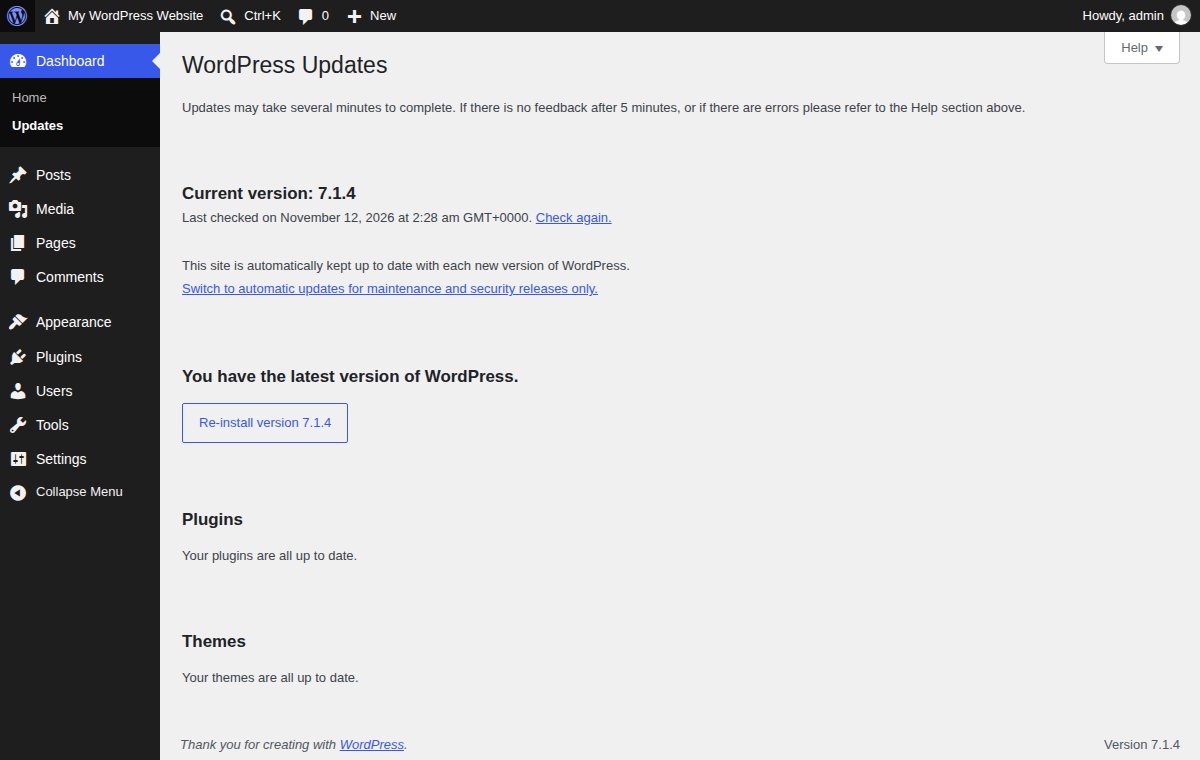
On this test site, the screen says WordPress is kept up to date automatically. It also offers a link to switch to automatic updates for maintenance and security releases only. Yours may show different options, depending on your host.
Deleting what you don't use
Open Plugins. Look at the list, and at the Inactive filter near the top.
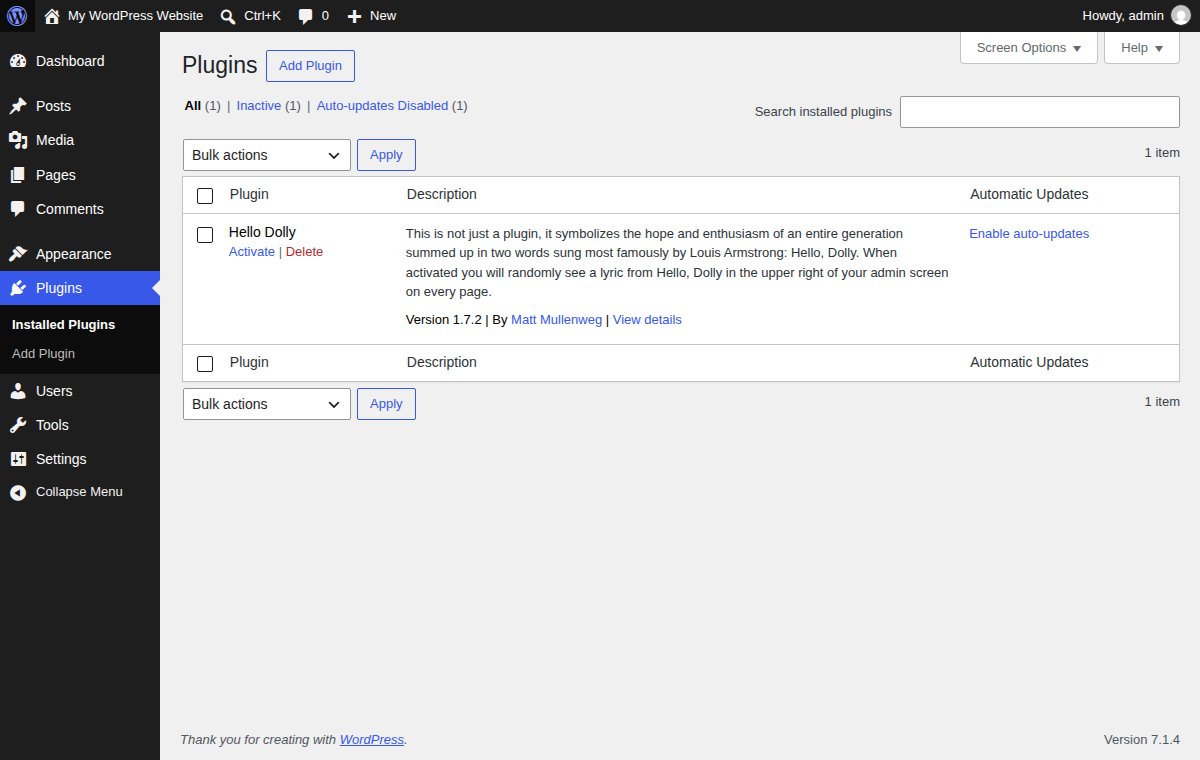
An unused plugin still sits on your server. WordPress says to delete a plugin you aren't using.[1] OWASP agrees: remove unused features, components and files.[2] Each row also has an Enable auto-updates link, which lets that plugin update itself.
Where software comes from
Only get plugins and themes from sources you trust.[1] WordPress itself should come only from wordpress.org.[1] The same idea holds for other software. OWASP says to get components only from official sources, over secure links.[2]
A simple routine
- Turn on automatic updates where they're offered.
- Once a week, open the Updates screen and install anything waiting.
- Once a month, delete plugins and themes you don't use.
- Take a backup before a big update. If a database update fails, restoring an old copy can fix it.[1]
What's next
An update can still go wrong, and a hack can still happen. That's what backups are for. Read backups that work. A firewall is another layer, covered in what a web application firewall does.
Sources
- Hardening WordPress, Advanced Administration Handbook, WordPress Developer Resources (accessed 2026-11-12)
- A06:2021 Vulnerable and Outdated Components, OWASP (accessed 2026-11-12)